Every organization handles hundreds or even thousands of employee documents throughout the employment lifecycle. From offer letters and employment contracts to identity proofs, salary records, performance reviews, and exit documents, managing paperwork manually becomes difficult as businesses grow.
A modern Employee Document Management System helps organizations securely store, organize, retrieve, and manage employee documents from one centralized platform.
Instead of searching through filing cabinets or scattered folders, HR teams can instantly access the right document whenever it's needed.
What is Employee Document Management Software?
Employee Document Management Software is a secure digital solution that allows organizations to store, organize, share, and manage employee-related documents electronically.
It centralizes HR documentation while providing secure access based on user roles and permissions.
Documents may include:
- Offer Letters
- Employment Contracts
- Resume & CV
- Identity Proof
- Address Proof
- Educational Certificates
- Experience Certificates
- Salary Documents
- Tax Documents
- Performance Reviews
- Training Certificates
- Exit Documents
Challenges of Paper-Based Document Management
Manual document management often creates problems such as:
- Lost employee files
- Duplicate documents
- Security risks
- Slow document retrieval
- Paper storage costs
- Compliance challenges
- Unauthorized access
- Version confusion
Digital document management eliminates these issues while improving operational efficiency.
Benefits of Employee Document Management Software
1. Centralized Document Repository
Store all employee documents in one secure location.
HR teams no longer need:
- Physical filing cabinets
- Multiple folders
- Email attachments
- Shared drives
Everything remains organized and searchable.
2. Secure Digital Storage
Employee documents contain confidential information.
Modern document management provides:
- Role-Based Access
- Document Encryption
- Secure Cloud Storage
- Backup & Recovery
- Activity Logs
- Access History
This ensures sensitive information remains protected.
3. Quick Document Search
Find any employee document within seconds.
Search using:
- Employee Name
- Employee ID
- Department
- Document Type
- Joining Date
- Tags
- Keywords
No more wasting time searching through paper files.
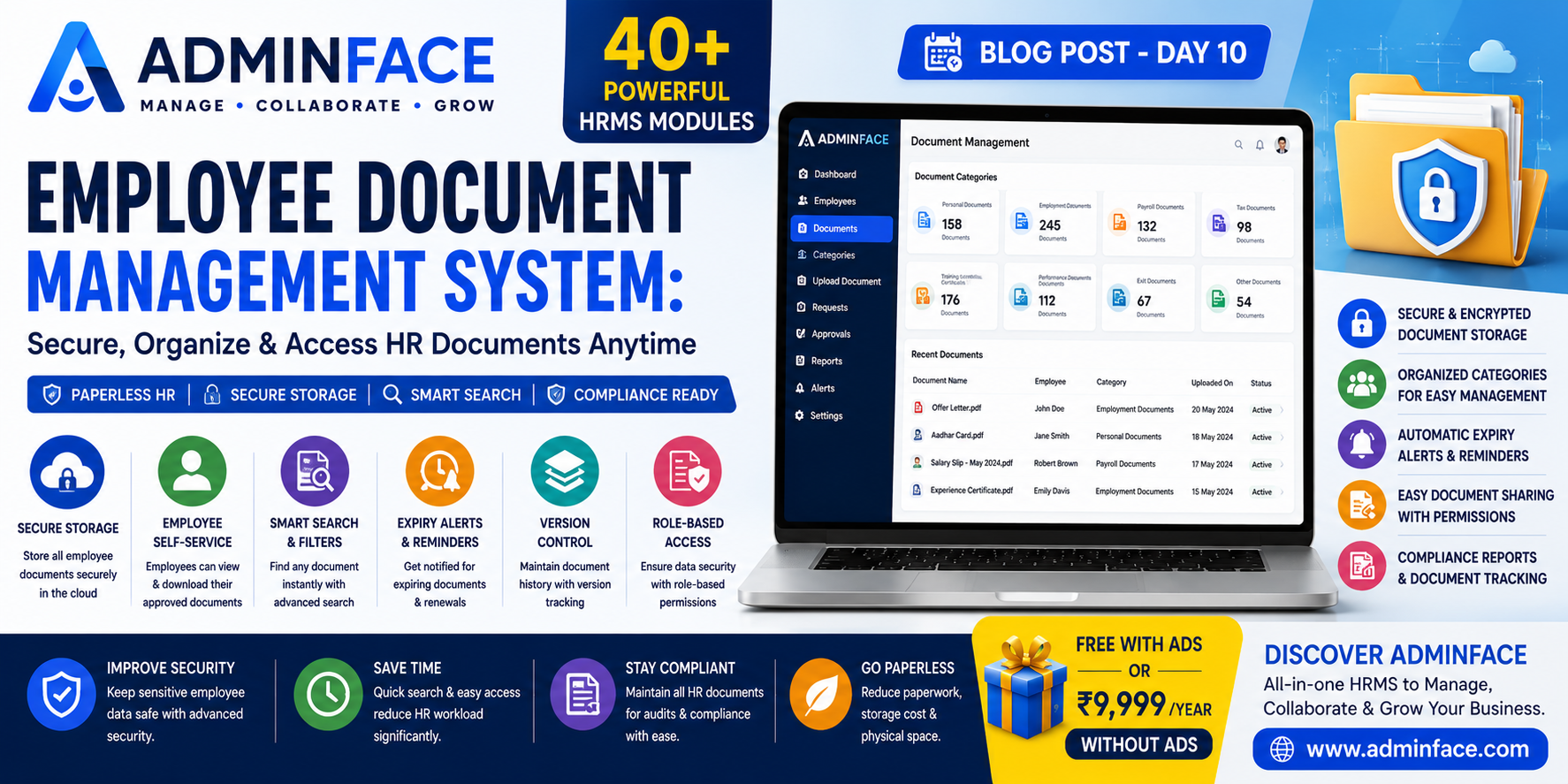
4. Multiple Document Categories
Organize documents into categories such as:
- Personal Documents
- Employment Documents
- Payroll Documents
- Tax Documents
- Training Certificates
- Medical Records
- Performance Documents
- Exit Documents
Structured organization improves efficiency.
5. Employee Self-Service Access
Employees can securely access approved documents including:
- Appointment Letters
- Salary Slips
- Tax Certificates
- Company Policies
- Experience Letters
- Training Certificates
This reduces HR workload significantly.
6. Version Control
Maintain document history by tracking:
- Previous Versions
- Updated Files
- Revision Dates
- Modified By
- Approval Status
Version control prevents confusion and ensures accuracy.
7. Expiry & Renewal Alerts
Automatically receive reminders for documents such as:
- Passport
- Visa
- Work Permit
- Driving License
- Professional Certifications
- Employment Contracts
Organizations stay compliant without manual tracking.
8. Digital Document Sharing
Share documents securely with:
- Employees
- Managers
- HR Team
- Finance Department
- External Auditors
Sharing permissions can be controlled at every level.
9. HR Compliance
Maintain compliance by storing:
- Employment Agreements
- Government Forms
- Payroll Documents
- Tax Records
- Employee Acknowledgements
- Policy Acceptance Records
Audit-ready documentation simplifies compliance processes.
10. Reports & Analytics
Generate reports including:
- Missing Documents
- Expiring Documents
- Employee Document Status
- Uploaded Documents
- Pending Approvals
- Compliance Reports
Real-time insights help HR teams stay organized.
Why Businesses Need Document Management Software
Organizations benefit through:
- Reduced paperwork
- Faster document retrieval
- Better security
- Improved compliance
- Lower storage costs
- Simplified audits
- Higher HR productivity
- Better employee experience
Why Choose AdminFace?
AdminFace provides a comprehensive Employee Document Management Module as part of its 40+ integrated HRMS modules.
Key Features
- Centralized Document Repository
- Secure Cloud Storage
- Role-Based Permissions
- Employee Self-Service
- Document Categories
- Version History
- Expiry Alerts
- Document Approval Workflow
- Digital Sharing
- Search & Filters
- Compliance Reports
- Multi-Organization Support
The Document Management module integrates seamlessly with Recruitment, Onboarding, Payroll, Employee Management, Performance Management, and HR Analytics to create a complete digital HR ecosystem.
Best Practices for Document Management
To maximize document security and efficiency:
- Use standardized document categories.
- Define access permissions clearly.
- Enable automatic backups.
- Review expiring documents regularly.
- Maintain version history.
- Encourage paperless workflows.
Final Thoughts
Managing employee documents shouldn't involve endless paperwork or time-consuming searches.
With Employee Document Management Software, organizations can securely manage HR records, improve compliance, reduce administrative work, and provide employees with instant access to essential documents.
AdminFace makes document management simple, secure, and fully integrated with your HR operations.