Customers don't always contact a business in the same way.
One person may use your website chat.
Another may send a WhatsApp message.
Someone else may email your support team.
And sometimes, a customer simply wants to know:
"Can someone help me?"
For a growing business, managing all these conversations can become difficult.
Messages can be missed.
Different employees may respond to the same customer.
Important conversations can get buried.
And support teams may have to switch between multiple applications throughout the day.
A centralized chat support system can make this process much easier.
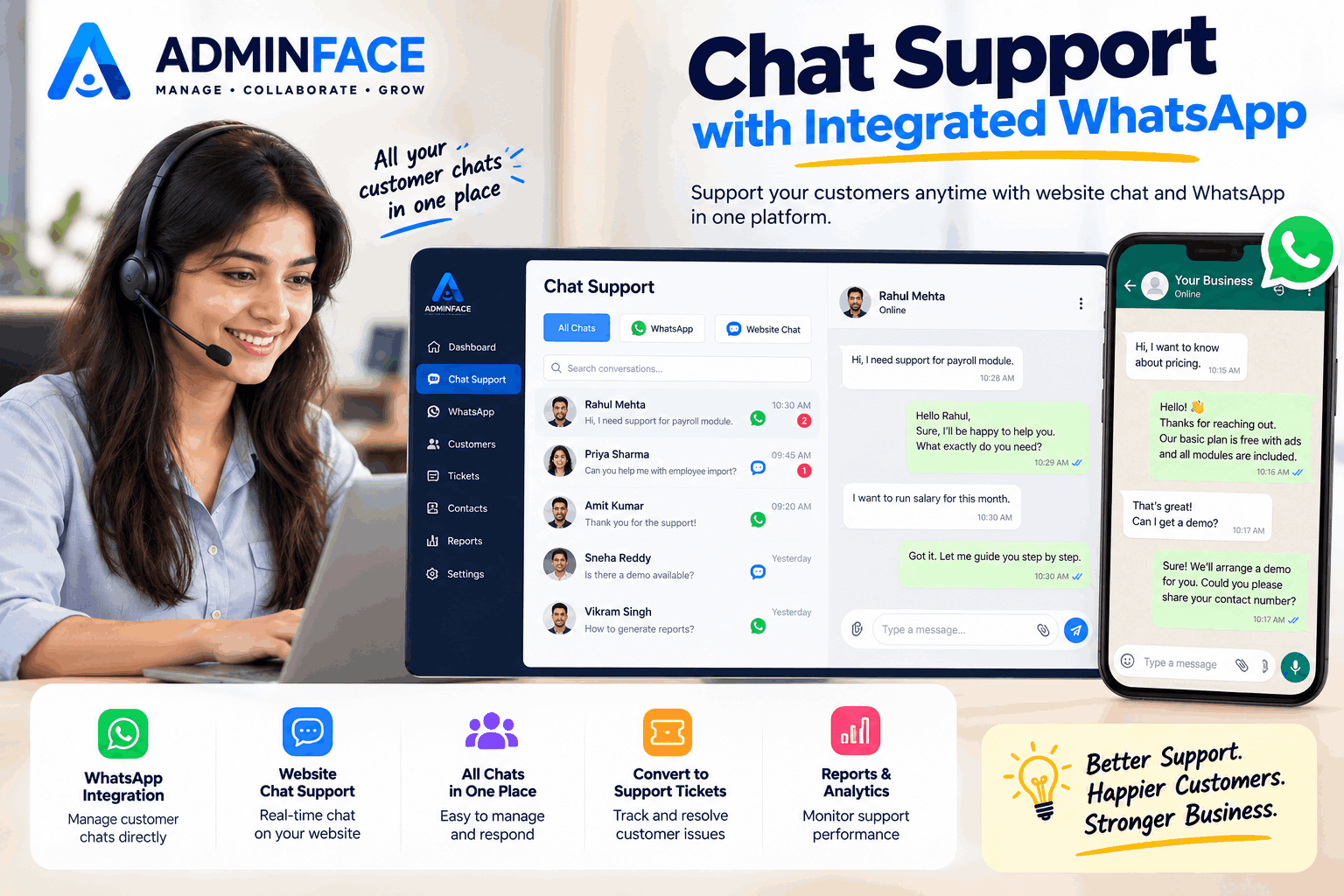
AdminFace brings website chat and WhatsApp conversations together so businesses can manage customer communication from one place.
And the Chat Support module is free to use.
Why Businesses Need Better Chat Support
Customer support isn't only about solving problems.
It's also about being available when customers need information.
A customer may ask about:
- A product
- A service
- Pricing
- Registration
- An appointment
- Billing
- Technical support
- Account access
- A sales enquiry
If the conversation is handled quickly and professionally, it can create a much better customer experience.
But when messages are spread across different applications, keeping track of them becomes harder.
Website Chat + WhatsApp in One Place
One of the useful approaches is to bring different customer conversations into a single workspace.
With AdminFace, businesses can work with:
💬 Website Chat
Allow visitors to start a conversation directly from your website.
A visitor can ask a question without searching for an email address or phone number.
Customers already use WhatsApp every day.
Businesses can connect their WhatsApp communication with their support workflow where the appropriate WhatsApp integration is configured.
📥 Centralized Conversations
Instead of constantly switching between different screens, support teams can manage conversations from a centralized interface.
How the Workflow Can Look
A simple customer-support workflow could be:
Customer visits website
↓
Starts a chat
↓
Support team receives the conversation
↓
Team member responds
↓
Issue is resolved
↓
Conversation can be tracked for future reference
For WhatsApp:
Customer sends WhatsApp message
↓
Message reaches the connected support workflow
↓
Support team responds
↓
Conversation is managed from the support system
The goal is simple:
Make customer communication easier to manage.
Why Website Chat Is Useful
Many customers don't want to fill out a long contact form.
They have a quick question.
For example:
"Do you provide a demo?"
"How can I register?"
"Can I use this for my company?"
"How does the billing work?"
Website chat gives them a direct way to start the conversation.
This can be particularly useful for businesses that generate enquiries through their website.
Why WhatsApp Support Is Useful
WhatsApp has become an important communication channel for many businesses.
Customers may already be comfortable using it.
Instead of asking them to download another application or learn a new system, businesses can communicate through a channel they already understand.
WhatsApp support can be useful for:
- Customer enquiries
- Sales conversations
- Support requests
- Follow-ups
- Appointment communication
- Service-related questions
Businesses should, of course, follow applicable WhatsApp policies and obtain appropriate customer consent where required.
One Support Team, One Workspace
Imagine a business with five support employees.
Without a centralized system, conversations might be spread across:
- Personal WhatsApp accounts
- Business WhatsApp
- Website chat
- Phone calls
- Spreadsheets
It becomes difficult to understand:
Who is handling what?
A centralized support workflow can give the team a clearer picture of active conversations.
Convert Conversations Into Support Tickets
Not every customer conversation can be solved immediately.
Some issues need follow-up.
For example:
"My invoice is incorrect."
The support employee can identify the issue and create a support ticket or follow-up workflow.
This creates a simple separation:
Chat = Conversation
Ticket = Work that needs to be resolved
This can help support teams keep track of issues instead of relying entirely on memory.
Chat Support Can Also Help Sales
Chat isn't only for customer complaints.
It can also generate sales opportunities.
Imagine someone visits your website and asks:
"Can I get a demo?"
That's not necessarily a support question.
That's a sales opportunity.
Your team can continue the conversation and guide the visitor toward the next step.
This makes website chat useful for both:
Customer Support + Sales
Marketing Teams Can Use Chat Too
Marketing campaigns bring visitors to websites.
But traffic alone doesn't guarantee leads.
A visitor may have a question before registering.
For example:
"Is this free?"
"Does it support multiple employees?"
"Can hospitals use it?"
"Do you have payroll?"
A chat option can give that visitor an opportunity to ask directly.
This creates a connection between:
Marketing → Website → Chat → Lead
Free Chat Support Software for Businesses
For many organizations, buying separate tools for every function can become expensive.
AdminFace provides a broader business platform where chat support can work alongside other modules.
The platform includes areas such as:
- HRMS
- Employees
- Attendance
- Leave
- Payroll
- Tasks
- Projects
- Sales
- CRM
- Communication
- Reports
- Hospital Management
- Billing
- Patient Management
- And more
The Chat Support module is available for free as part of AdminFace's free offering.
Who Can Use AdminFace Chat Support?
The feature can be useful for many types of organizations.
IT Companies
Handle product enquiries and customer support.
Service Businesses
Manage customer questions and service requests.
Sales Teams
Convert website conversations into sales opportunities.
Marketing Teams
Capture visitors and campaign enquiries.
Hospitals & Clinics
Handle general enquiries and communication workflows.
Educational Organizations
Respond to student or parent enquiries.
Retail Businesses
Answer product and service questions.
Example: A Customer Enquiry
Let's say someone discovers your company through Google.
They visit your website.
They have a question.
Instead of leaving the website, they open the chat.
Visitor:
"Do you provide a free version?"
Support:
"Yes, you can get started with our free offering."
Visitor:
"Can I use it for my organization?"
Support:
"Yes. Let me show you how to get started."
That simple conversation may turn an anonymous website visitor into a registered organization.
Don't Make Customers Search for Help
A common mistake is making customers work too hard to contact a business.
If they need to:
- Find your contact page
- Search for an email address
- Open their email
- Write the message
- Wait for a response
some visitors may simply leave.
A visible chat option can make communication much easier.
Customer Support Is Part of the Customer Experience
Good support isn't only about having more employees.
It's about having a clear process.
A useful support system helps your team answer:
Who contacted us?
What do they need?
Who is handling it?
Has the issue been resolved?
Does someone need to follow up?
When these questions are easier to answer, customer communication becomes more organized.
Keep Your Communication Organized
AdminFace is designed to bring different business activities into one platform.
Instead of thinking about chat as a completely separate tool, businesses can connect customer communication with their broader business workflows.
Chat
↓
Customer
↓
Sales / Support
↓
Task / Ticket
↓
Resolution
↓
Reports
This creates a more structured approach to customer communication.
Your Data Matters
Customer conversations and business information are important.
That's why AdminFace's marketing promise is simple:
We Don't Sell Your Data.
Businesses should always understand how their information is handled and choose software accordingly.
Start Using Chat Support for Free
If your business receives enquiries through its website or WhatsApp, having a structured support workflow can make everyday communication easier.
With AdminFace, you can explore:
💬 Website Chat
🟢 WhatsApp Integration
🎫 Support Tickets
📊 Reports & Analytics
👥 Customer Management
📈 Sales & Business Workflows
And you can start with the free offering.
👉 Register your organization:
AdminFace — Manage • Collaborate • Grow.