First impressions matter. A smooth onboarding process helps new employees feel welcomed, productive, and engaged from day one. Unfortunately, many organizations still rely on paper forms, email chains, and manual checklists that slow down the onboarding experience.
An Employee Onboarding Software streamlines every step—from offer acceptance to the employee's first working day—ensuring consistency, compliance, and a great employee experience.
With digital workflows, HR teams spend less time on paperwork and more time helping new employees succeed.
What is Employee Onboarding Software?
Employee Onboarding Software is a digital solution that automates and manages the onboarding process for new hires.
It helps HR teams:
- Send Offer Letters
- Collect Employee Documents
- Assign Onboarding Tasks
- Create Employee Profiles
- Complete HR Checklists
- Schedule Orientation
- Share Company Policies
- Track Onboarding Progress
Everything is managed from one secure platform.
Challenges of Manual Onboarding
Without onboarding software, organizations often experience:
- Delayed joining formalities
- Missing employee documents
- Repetitive manual work
- Poor communication
- Inconsistent onboarding experience
- Compliance risks
- Lower employee engagement
- Slower productivity
Automation eliminates these issues and standardizes onboarding.
Benefits of Employee Onboarding Software
1. Digital Offer Letter Management
Create and send offer letters quickly.
Features include:
- Digital Offer Letters
- Online Acceptance
- Joining Date Confirmation
- Candidate Status Tracking
2. Employee Document Collection
Securely collect documents before the employee joins.
Examples include:
- Identity Proof
- Address Proof
- Educational Certificates
- Experience Letters
- Bank Details
- Tax Documents
Everything is stored digitally for easy access.
3. Automated Onboarding Checklist
HR teams can assign tasks such as:
- IT Account Creation
- Email Setup
- ID Card Request
- Asset Allocation
- Department Assignment
- Manager Approval
This ensures no step is missed.
4. Employee Profile Creation
Automatically create employee records once onboarding is complete.
Information includes:
- Personal Details
- Employment Information
- Contact Information
- Emergency Contacts
- Department & Designation
- Reporting Manager
5. Company Policy Distribution
Share important documents digitally:
- Employee Handbook
- HR Policies
- Code of Conduct
- Security Guidelines
- Leave Policies
- Attendance Rules
Employees can acknowledge receipt electronically.
6. Orientation & Training
Schedule onboarding sessions and mandatory training.
Examples:
- Welcome Meetings
- Department Introductions
- Product Training
- Compliance Training
- HR Orientation
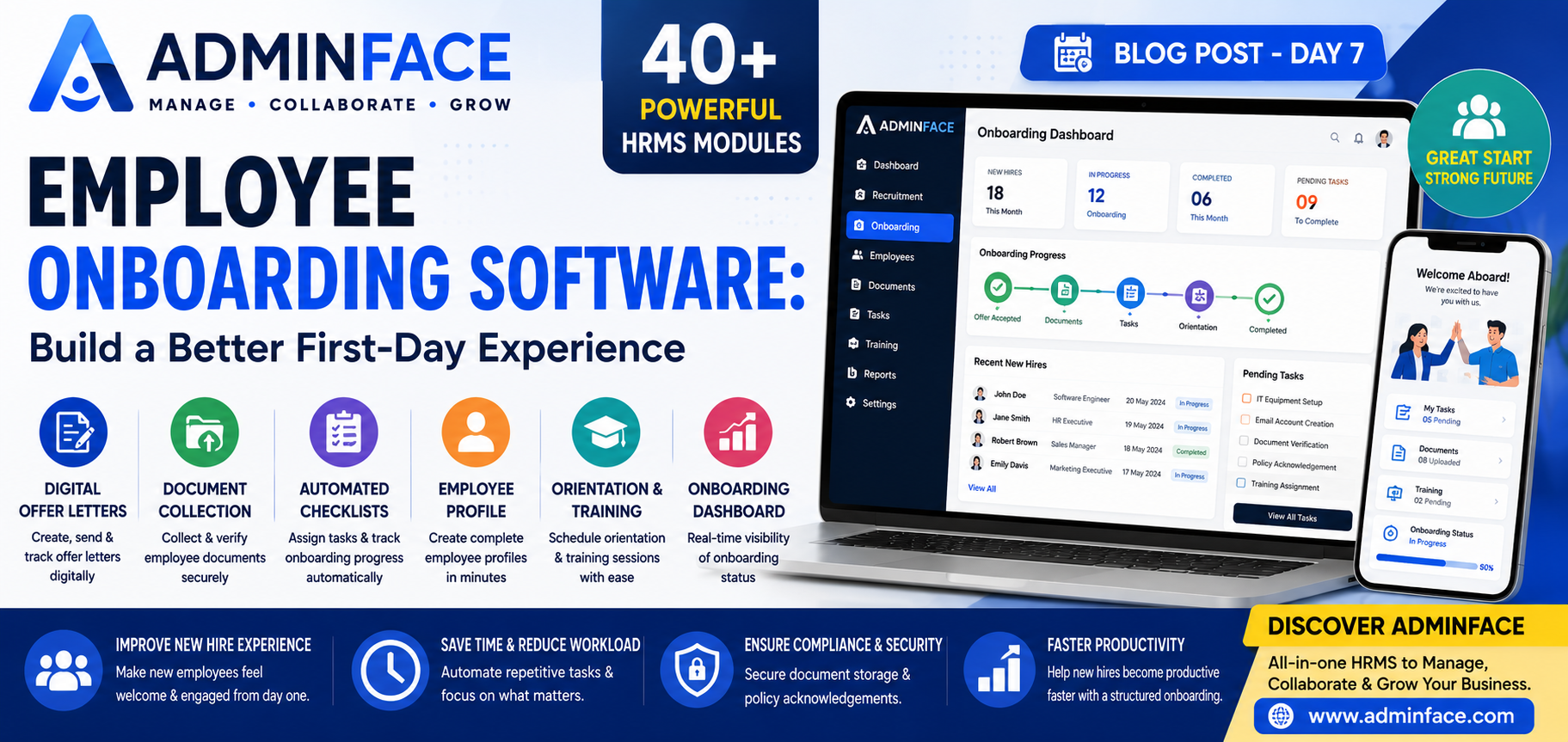
7. Progress Tracking
Managers and HR can monitor onboarding completion through dashboards.
Track:
- Pending Tasks
- Completed Activities
- Document Status
- Training Completion
- Employee Readiness
8. Better Employee Experience
A structured onboarding process helps employees:
- Feel welcomed
- Understand company culture
- Become productive faster
- Build confidence
- Engage with their teams
Why Businesses Need Onboarding Software
Organizations benefit by:
- Reducing paperwork
- Improving HR efficiency
- Accelerating employee productivity
- Standardizing onboarding
- Improving compliance
- Increasing employee retention
- Delivering a professional onboarding experience
Why Choose AdminFace?
AdminFace includes a comprehensive Employee Onboarding Module within its 40+ integrated HRMS modules.
Key Features
- Digital Offer Letters
- Employee Document Management
- Automated Task Checklists
- Employee Profile Creation
- Orientation Scheduling
- Policy Management
- Training Tracking
- Onboarding Dashboard
- Cloud-Based Platform
- Multi-Organization Support
- Secure Role-Based Access
The Onboarding module integrates seamlessly with Recruitment, Employee Management, Payroll, Attendance, and Document Management, providing a complete employee lifecycle solution.
Best Practices for Onboarding
For a successful onboarding process:
- Prepare documents before the joining date.
- Automate repetitive HR tasks.
- Assign onboarding responsibilities.
- Provide clear company policies.
- Schedule orientation sessions.
- Collect employee feedback after onboarding.
Final Thoughts
An effective onboarding process sets the foundation for employee success. By replacing manual paperwork with digital workflows, businesses can improve efficiency, reduce administrative work, and create a positive first impression.
With AdminFace, organizations can deliver a professional, paperless onboarding experience that helps new employees become productive from day one.